
DPC-X
DPC latency
Mitigate DPC latency for audio on Windows 11.
DPC latency is the time Windows spends inside drivers before your audio software gets the processor back. A network driver, a GPU driver, a USB controller or the firmware itself can hold it for too long, and that is when you hear a click or a dropout, even on a fast PC.
DPC-X cannot fix a driver that misbehaves. Only its manufacturer can. What it can do is measure, with the Windows kernel's own trace, which driver is in the way, and then keep that driver away from the core your audio interface uses, with the power and scheduling settings that give audio the best chance. On many PCs that is enough to make the difference. On some it is not, and the report will tell you which driver is the one to replace or update.
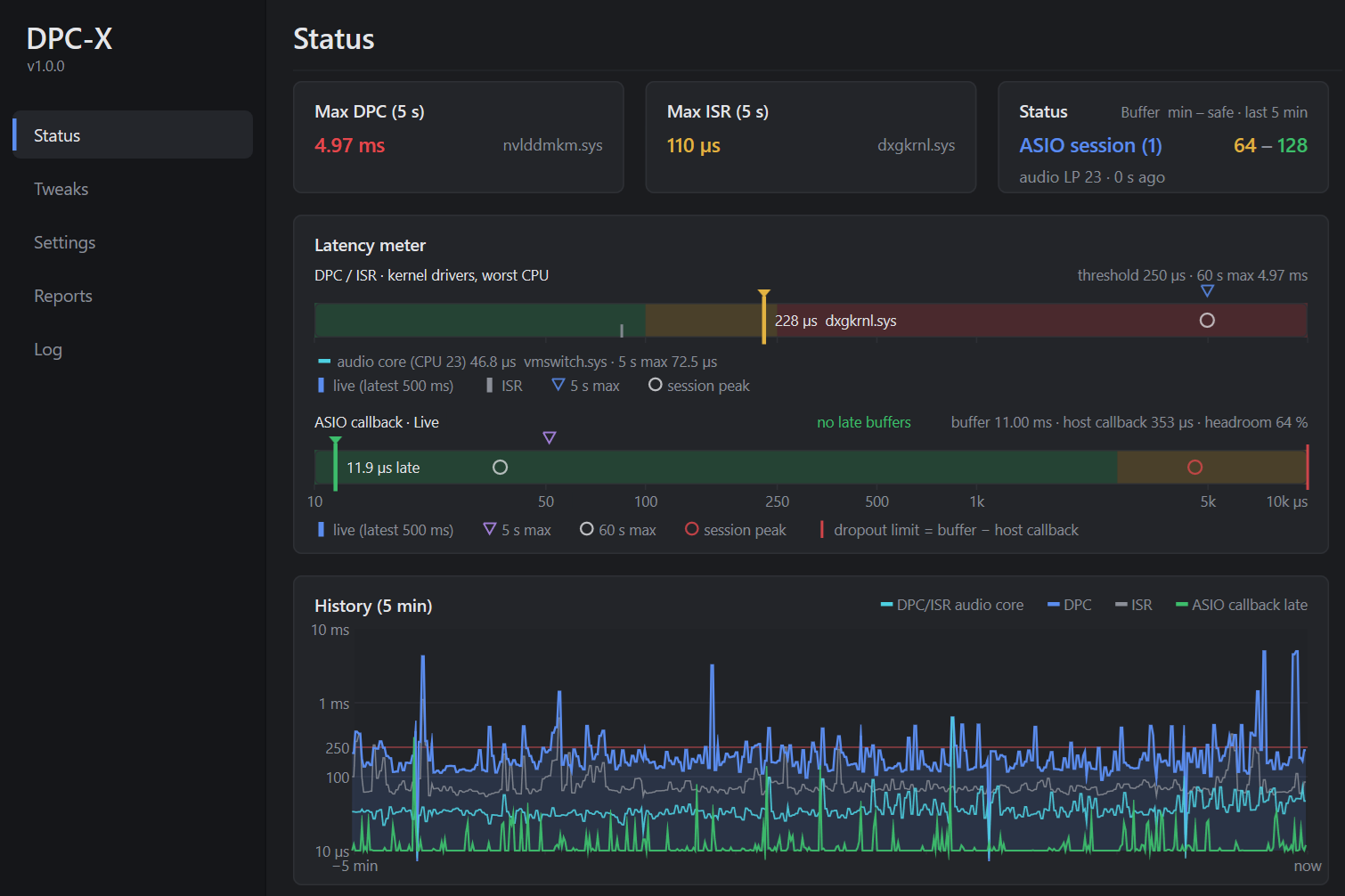
Measure
A real-time kernel trace (ETW) attributes every DPC and ISR to its driver, and a wake probe pinned to the audio core records how late each wake came. You get a report that names the driver, not a guess.
Isolate
One physical core is dedicated to the controller that owns your audio interface's interrupt. GPU, network, Bluetooth and any driver the measurement flags as hot are steered away from it.
Session
While a DAW or DJ app with an ASIO driver is running: high priority, no power throttling, full processor speed, background services paused. The moment it exits, your PC is back to normal.
Before you install and use
DPC-X changes system settings: interrupt affinity, power plan, timer resolution, a few services while your audio software runs. It records your PC's original state the first time, and "Restore original" puts everything back. Even so, it is a tool that works on your system: back up your files and settings and create a Windows restore point before you run Optimize.
Windows 11, 64-bit. Free for everyone.